> Also available in Spanish: https://cubaresearchproject.com/es/other-content/how-to-use-cuban-newspaper-archives-to-conduct-genealogy-research/
# How to find your family in Cuban newspapers
Old Cuban newspapers name ordinary people: who was born, who married, who died, who arrived on which ship, who was arrested, who gave a party and who went to it. This guide shows you how to search the Diario de la Marina on this site, read the pages you find, and follow a name from one notice to the next. It works on a phone as well as on a computer.
**On this page:** [Why newspapers](#why) · [What is in the Diario](#what) · [How to search](#search) · [How to read a page](#read) · [Research tips](#tips) · [Other newspaper archives](#other) · [Questions](#faq)
Why newspapers matter for Cuban genealogy
Parish books and civil registers give you the dates. Newspapers give you the people around them. In the Diario de la Marina you can find:
- **Births, baptisms and weddings**, often with the parents, godparents and witnesses named.
- **Esquelas and death notices**, which name the widow or widower, children, siblings and in-laws, and say where the burial was.
- **Passenger lists** of ships arriving in and leaving Havana.
- **Arrests and court news**, with names, ages and addresses.
- **Society pages**: parties, trips, saints' days, engagements and who attended.
- **Advertisements** for shops, farms and trades, which can tell you where a family lived and what it did.
What is in the Diario de la Marina on this site
The archive holds **44,301 issues** of the Diario de la Marina, from **1844 to 1961**: **591,610 pages** and nearly **2.8 billion words**, scanned and read by machine so that you can search them word by word. The paper's roots go back to 1832, as *El Noticioso y Lucero de La Habana*; it took the name Diario de la Marina in 1844. Its last Havana issue appeared on 12 May 1960, and the archive's issues from 1961 are its weekly edition in exile, published in Miami. Issues reach the site as they are scanned and read; if some cannot be searched by word yet, the search page says how many. Every issue can be opened by its date.
Who can read what:
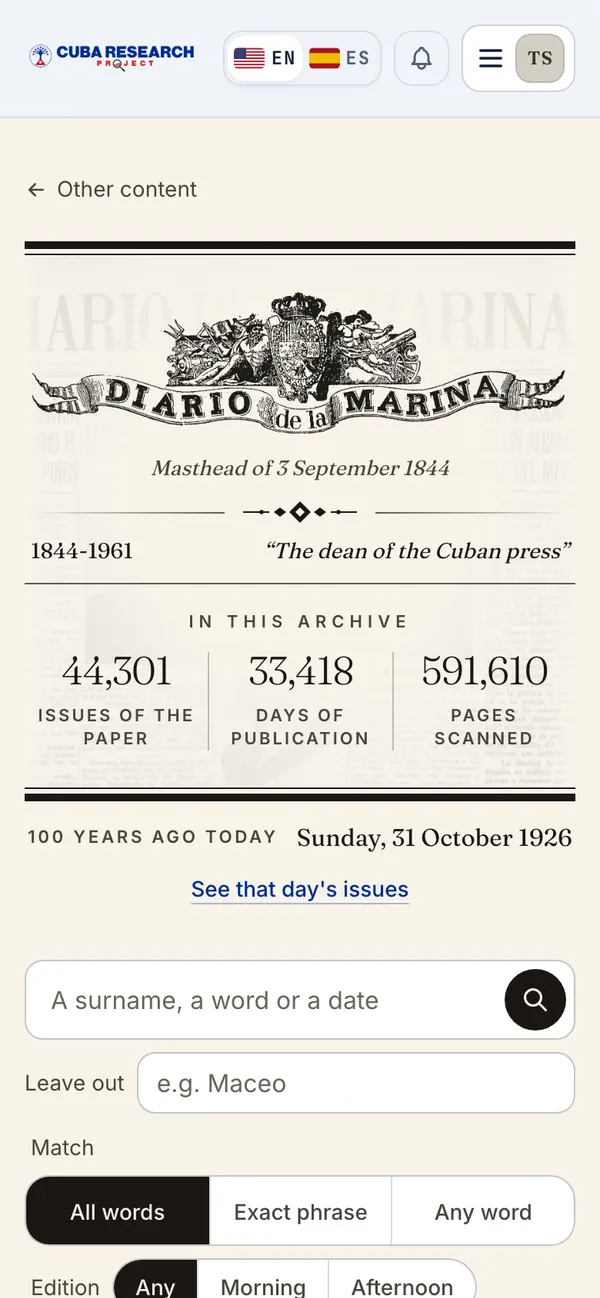
- **Without an account** you can see the Diario's front page, its archive totals and the "Moments in history" stories. To search the pages or open an issue, you need an account.
- **With a free account**, once you have confirmed its email, you get the whole reading room: word search, every issue and page, the PDF download and the original scan. [Create a free account](/register/?next=%2Fother-content%2Fdiario-de-la-marina%2F) and, after you confirm your email, you come back to the Diario.
- **Paid members** have the same access to the Diario as free accounts.
- **Pages from 1930 onward** open in the reader like every other year.
The Diario's page on a phone, signed in.
How to search, step by step
1. **Open the [Diario de la Marina](/other-content/diario-de-la-marina/)** and sign in.
2. **Type a name or a few words** in **Search the pages** and press **Search**. Capitals and accents do not matter: *garcia* finds *García*.
3. **Read the results.** Each result is one issue: its date, its edition and the lines where your words appear, highlighted. The count at the top counts issues, not pages. **Show more** shows more lines from an issue, and **Load more** at the bottom brings more issues.
4. **Choose how the words must match** under **Match**:
- **All words** (the default): pages that have every word you typed, in any order.
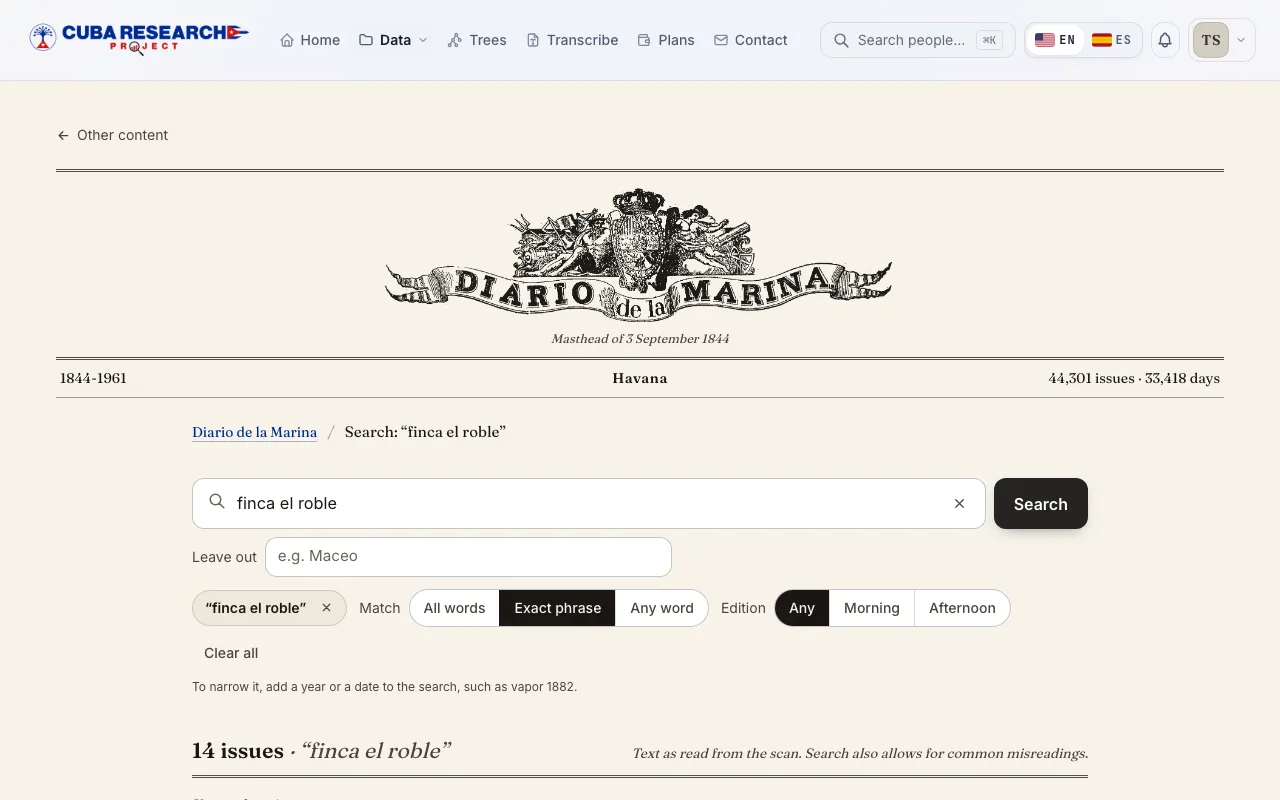
- **Exact phrase**: only those words together and in that order. Use it for full names and places: *Rodríguez y Arce*, *finca el roble*.
- **Any word**: pages with at least one of them, for spellings you are unsure of.
You can also put a phrase in straight quotation marks: "finca el roble". A phone keyboard often types curly quotation marks instead, so on a phone **Exact phrase** is the surer choice.
5. **Leave words out** with **Leave out**: a common surname's other first names, or a place you are not looking for.
6. **Narrow by date.** Add a year or a date to your words (*vapor 1882*), or choose a year in the chart of **Years where it appears**, which also shows at a glance when a name was in the paper. Without words, the strip of years lets you browse by decade, year, month and day.
7. **Pick an edition** under **Edition**, **Morning** or **Afternoon**, for the years the paper printed both. This leaves out issues whose edition is not marked; choose **Any** to include them.
8. **Remove a filter** with the × beside the words or the date at the top of the results, or start again with **Clear all**.
**Names, initials and particles.** Small words such as *de*, *la*, *del* and *y* are ignored when they stand loose among other words. Inside an exact phrase they count, so *Rodríguez y Arce* as an exact phrase finds only that form. Initials are not expanded, and some single letters are ignored when they stand loose. Search the surname with the first name; to try an initial, put it in an exact phrase, such as *A. García*.
**Spelling and misreads.** The text was read by machine from old print. The search already allows for common plurals, known spelling variants and words we have corrected; a corrected word has a dotted underline in the results, and pointing at it shows how it was read from the scan. Old spellings and misreads still slip through, so try the variants yourself: *Gutiérrez* and *Gutiérres*, *Ybarra* and *Ibarra*.
A search for the exact phrase finca el roble: 14 issues.
How to read a page
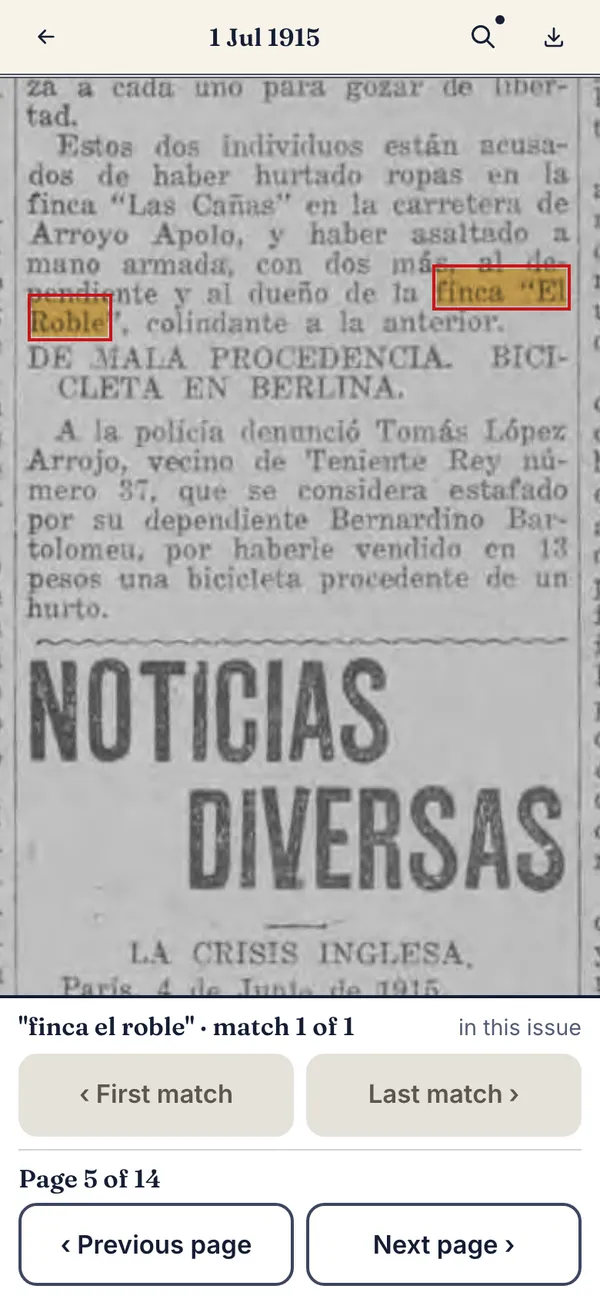
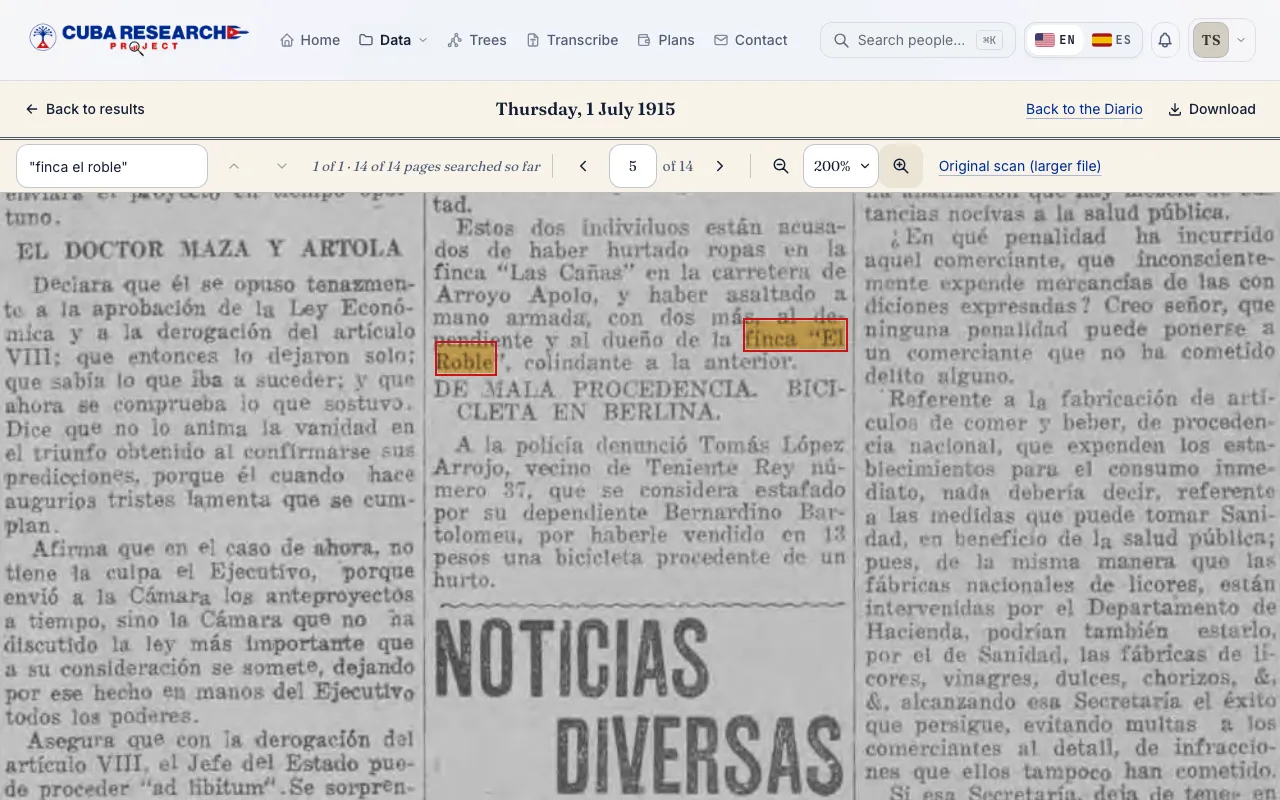
1. **Open at page.** Each result has a button such as **Open at page 5**. It opens the issue at that page, with your words marked in yellow.
2. **Go from match to match** with **Previous match** and **Next match** (on a phone, the ‹ and › buttons under the page). The match you are on is outlined. **Find in this issue** looks for other words in the issue you have open.
3. **Zoom** with **Zoom in**, **Zoom out**, **Fit width** and **Fit page**, or pinch on a phone. On a phone the search and zoom controls open from **Find and zoom**.
4. **Turn the page** with **Previous page** and **Next page**.
5. **Save the issue** as a PDF with **Download**.
6. **See it sharper.** Where there is a lighter copy, the reader opens it so that pages load quickly. **Original scan (larger file)** switches to the full scan, and **Lighter scan** switches back.
7. **Go back** to your list with **Back to results**. Your search is still there.
1 July 1915, page 5, on a phone: the phrase is marked even where it breaks across two lines.The same page on a computer, at 200%.
Research tips
- **Search a married woman by her maiden name too.** Notices often give both: *María Pérez de García*, *María Pérez viuda de García*.
- **Search the days around an event.** A wedding or a death can be reported the next day, again in the society pages a few days later, and again a year later at the anniversary Mass.
- **Read the whole notice and the ones beside it.** Society pages and esquelas name the relatives who came.
- **Use the place.** A town, a sugar mill or a farm is often rarer than the surname: try *central* or *finca* with its name.
- **Check what you find against our other collections.** Search the whole archive from the [search page](/search/), for example the [death notices published in the Diario](/all-databases/1868-1960-death-notices-published-in-diario-de-la-marina/). On a record, **See Record in Source** shows the page it came from.
- **Write down the date, the edition and the page** of every notice, so that you or anyone else can find it again.
Other newspaper archives
For papers this site does not hold, these free archives are worth a search:
- [Biblioteca Virtual de Prensa Histórica](https://prensahistorica.mcu.es/) (Spain's Ministry of Culture): Spanish newspapers and some Cuban ones.
- [Hemeroteca Digital](https://www.bne.es/es/catalogos/hemeroteca-digital) (Biblioteca Nacional de España).
- [Digital Library of the Caribbean (dLOC)](https://dloc.com/): Cuban and Caribbean newspapers and books.
Each has its own search, and the habits in this guide work there too: exact phrases, spelling variants and the days around an event.
Questions
### Do I have to pay to read the Diario?
No. A free account opens the whole reading room.
### Why can't I find my ancestor?
The paper may never have printed the name: it wrote more about Havana than about the countryside, and more about prominent families than about poor ones. The name may also have been printed in another form, or misread by the machine. Try the spelling variants, the maiden name, the initial and the days around the event.
### Why are some words on the page not highlighted?
The highlights come from the machine reading. Where it misread a word and the misreading has not been corrected, that word may not be marked, even though you can see it on the scan.
### Can I search on my phone?
Yes. The search, the reader and the zoom all work on a phone. For an exact phrase, choose **Exact phrase** rather than typing quotation marks.
### Can I keep or share a page?
The address in your browser opens the same issue at the same page, so you can paste it into your notes or send it to a relative with an account. You can also download the PDF.